


Text Free: Second Phone Number
4.5153.94K Reviews
App Specs
- Version
- 13.21
- Updated On
- License
- Free
- Downloads
- 50,000,000+
- Developer
- Pinger, Inc
- Categories
- Social
- Platform
- Android, iOS
Screenshots
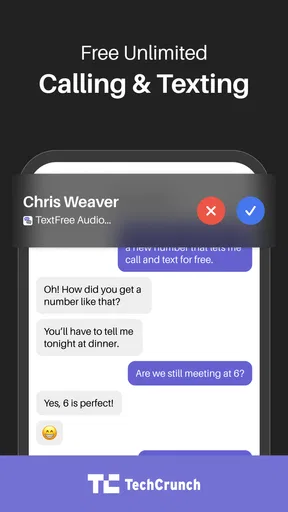
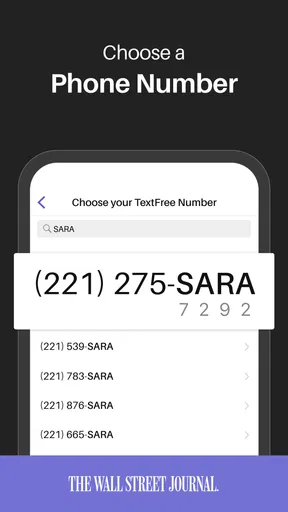

 Analysis by AppCompare
When several people share a household, phone communication can get tangled in small but frustrating ways: a personal number ends up on a marketplace listing, a temporary project spills into everyday messages, or someone needs a separate way to call and text. I see Text Free: Second Phone Number as a useful boundary-setting tool for situations like those, rather than a replacement for every phone service. It gives one person another number to manage on their own device, which can make household coordination easier without turning a shared family phone into the center of every conversation.
A separate line can make shared life simpler
Think of a parent arranging a furniture pickup through an online sale. They can use a second number for the buyer, handle the calls and messages there, and keep their usual number for family and close contacts. Once the pickup is complete, that conversation is easier to keep apart from everyday life. The same approach can help a roommate coordinating a repair visit, a student arranging a club activity, or a freelancer answering a short-term work inquiry from home.
The practical benefit is not that every household member gets a line automatically; it is that one person can create a clearer boundary around a particular kind of communication. I would decide what the second number is for before sharing it. If it is for sales, keep it to those conversations. If it is for a temporary work project, use it consistently for that project. That simple habit makes the extra line more useful and makes it easier to recognize why someone is contacting you.
Set expectations before handing out the number
Because this is an app-based line on a phone, I would treat it as belonging to the person who installed and manages it, not as a shared household inbox. If several relatives need to see messages or answer calls, this may not be the right arrangement. A group text can coordinate a plan, but it is not the same as multiple people having access to one number or a shared message history.
Before giving out the number, it is worth checking that the people who need to reach you know which line to use and that you can keep an eye on its notifications. For a one-off exchange, tell the other person that it is the best number for that particular matter. For ongoing coordination, agree on who is responsible for replies. These small steps prevent missed messages and avoid the awkwardness of assuming someone else in the household has answered.
There is also a trade-off in keeping personal and secondary conversations apart: you have to remember to check both places. If the app is silenced or overlooked, a time-sensitive message can sit unseen even while your main phone line is active. I would not use a second number as the only contact route for an urgent household issue. For that, the communication method everyone already checks is usually safer.
How it fits alongside familiar alternatives
Compared with sharing one regular phone number, a second app-based number can help keep public-facing or task-specific conversations from mixing with personal calls and texts. It can be more convenient than carrying another handset when the need is simply to manage an extra line from the phone you already use. But it is not the same as a second SIM or a separate phone: those options may suit someone who wants a distinct device or a line that does not depend on an app being available on their current phone.
Worth Reading Before You Choose

EA SPORTS FC Mobile 26 Is a Bigger Football Game, but It Takes Time

Flipboard Shows What News Apps Must Do Beyond the Feed

Switching to Android Auto Means Rethinking Your Driving Routine

Google Calendar Makes a Crowded Week Easier to Manage

Ludo King Makes the Most of the Minutes Between Plans

Baby Panda World Brings Quick Play to Modern Phones, but Its Game Library Feels Busy
For coordination inside a household, a group chat in the messaging service everyone already uses may be simpler. It keeps the whole group in the same conversation, while Text Free is more useful when you want a separate number for calls and texts with people outside that group. I would choose based on the communication problem, not on the assumption that an extra number is always better. If you only need to tell housemates when dinner is ready, a new line is unnecessary; if you need to separate buyer inquiries from personal calls, it has a clearer purpose.
One useful workflow is to choose a recognizable role for the number and use it only for that role. That makes it easier to decide whether a call deserves an immediate answer, and it reduces the chance of replying from the wrong line. I would also save the number in the relevant conversation context so I can tell which contact details I used when following up. The app can separate communications, but the user still has to maintain that separation deliberately.
Who should be cautious about relying on it
This kind of service is a better fit for an adult who wants another reachable number for everyday calls and texts than for a household seeking shared parental oversight or a centrally managed family line. I would not assume that installing it creates family controls, shared access, or monitoring tools. A parent considering it for a young person should first decide what communication boundaries they want and check whether an individually managed app-based line fits those expectations.
It is also worth thinking about how dependable you need the line to be in your own routine. App-based calling and texting can be convenient, but the experience depends on using the app and having a working connection. If you need a separate line for critical business calls, need a second device, or cannot risk overlooking messages in another inbox, a conventional carrier line or a dedicated work phone may be a better match. For casual, clearly bounded use, the extra number is easier to justify.
Age, trust, and everyday responsibility
The app is rated for Everyone, but that content rating does not answer every question a household may have about readiness. A rating is not a substitute for deciding whether a child or teen is prepared to manage calls, texts, strangers, and notifications. I would make that decision based on the young person’s needs and the household’s own rules, rather than treating the rating as a recommendation to provide a line to every age group.
Trust matters here because a second number can make it easier to keep different circles of communication apart, but it does not create accountability by itself. If the line is being used for household coordination, agree on what it is for, who is expected to answer, and when it should be checked. If the goal is a private work boundary for an adult, the same clarity helps prevent family messages from being confused with work inquiries. The app offers a communication channel; people still set the boundaries around it.
For a shared-device household, I would be especially careful about who can open the phone and view its notifications. A second number does not necessarily mean a private conversation if someone else can access the device. That is a device-sharing question, not something I would assume the app solves. If privacy between users is essential, a genuinely separate device and account arrangement may be more appropriate.
What to expect from cost and availability
Text Free is free to install, and Pinger, Inc. develops it. Its average rating is 4.4 from around 579,000 ratings, with over 10 million installs, so it has clearly reached a large audience. Optional in-app purchases range from $1.99 to $99.99 per item, which is worth keeping in mind if you plan to use it regularly. I would check the purchase details in the app before paying, and decide whether the free experience meets your needs first.
It is a social communication app, currently at version 13.8.2, and it has been available since February 2, 2011. It is rated for Everyone and requires Android 9 or later. Those details make it easier to judge whether it fits a particular phone and household, but they do not change the everyday decision: you still need to be comfortable managing another inbox and keeping its purpose clear.
What is Text Free All About?
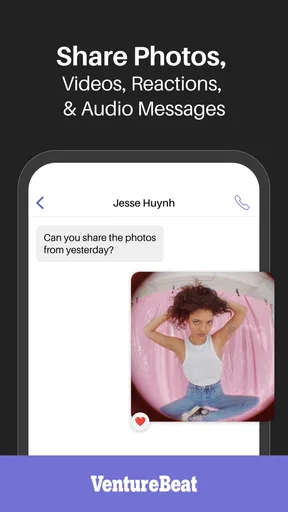
Imagine having a second phone number without the hassle of buying a new SIM card or phone. Text Free: Second Phone Number provides exactly that. It's a nifty app that lets you send texts, make calls, and enjoy voicemail services using an additional phone number. Perfect for separating work from personal life or for those selling online!
Setting Up and Getting Started
The setup process was smooth sailing. All it takes is downloading the app, choosing your new number, and you’re all set. The interface is intuitive, so even if you’re not tech-savvy, you’ll find it pretty easy to navigate. The app throws in a bunch of free features that keep you hooked right from the start.
When you set it up, I would take a moment to choose a number you can comfortably share for its intended purpose, then test the routine before relying on it. Send a message to someone you trust, confirm that replies arrive in the right place, and check that notifications are noticeable enough for you. This is a simple way to catch a workflow problem early: the number may be ready, but your habits still need to make room for another inbox.
For a household task, I would also tell the other people involved exactly where to respond. If one person is arranging a delivery, for example, there is little value in creating a second number if everyone continues calling the main line. A short explanation can prevent missed updates and confusion over which number is current. The extra line works best when its purpose is clear to both the person using it and the people contacting it.
Features That Stand Out
Let me tell you, the features here are pretty impressive. First off, unlimited texting is a dream come true for those chatty folks out there. Calls are crystal clear, and you get a voicemail feature to boot. The app also supports group messaging, which is fantastic for planning events or keeping in touch with multiple friends at once.
Group messaging is most useful when the people involved already understand that the conversation is happening through this second line. I would use it for coordinating a small event or sharing updates with a set of contacts, but I would not assume it replaces the household’s usual group chat. Keeping the two roles distinct is less confusing: one thread can handle an outside arrangement, while the familiar family chat remains the place for shared plans.
One thing that really caught my attention was the ability to earn free minutes through watching ads or completing offers. It’s a clever little way to keep using the app without spending a dime.
That free-minute option comes with a time-and-attention trade-off. If I only need occasional calls, earning minutes may be a reasonable alternative to paying, provided I am comfortable with the steps involved. If I need to make calls often or want a predictable routine, I would compare the effort with the available purchase choices before building the app into a work process. Free use can be useful, but it is not automatically the least inconvenient choice.
Performance and Usability
Performance-wise, Text Free holds its ground. I didn’t experience any lag or crash, which is a huge plus in my book. The call quality is decent, and texts are sent without any noticeable delay. You can even customize notifications, so you know exactly who’s trying to reach you.
Notification customization matters more when a second line serves a specific role. I would make its alerts distinct enough to notice, while avoiding a setup that makes every non-urgent message interrupt the day. Then I would check the app at a regular point in my routine, especially if I use the number for a sale, appointment, or work inquiry. A deliberate checking habit is a practical safeguard against treating a separate inbox as if it were automatically monitored.
Final Thoughts
All in all, Text Free: Second Phone Number is a solid choice if you’re in need of an additional number. The app is straightforward, reliable, and offers several features that you’d expect from a second line service. Whether you’re a freelancer, a small business owner, or just someone who likes to keep things organized, this app is definitely worth checking out.
For me, its strongest use is a manageable, clearly defined second channel—not an all-purpose answer to household communication. I would recommend it to an adult who wants calls, texts, voicemail, and group messaging tied to another number without carrying a second handset. I would skip it if several people need to answer the same line, if a child needs supervised communication, or if missing a message would have serious consequences. In those cases, a shared service everyone already checks, a carrier line, or a dedicated phone can be the more sensible choice.
So, if you’re on the hunt for a hassle-free way to manage your communication, give Text Free a shot. You might find it’s exactly what you’ve been missing.
My household verdict is practical rather than universal: the app can help one person keep outside conversations apart from family life, but it does not remove the need to agree on responsibilities, check the right inbox, and choose an appropriate contact method for urgent matters. If you know what the extra number is for and are happy managing it yourself, it is an accessible option to try. If the goal is shared access or oversight, I would look elsewhere before making it part of the household routine.
Pros
- Easy setup process for new users.
- Customizable voicemail greetings.
- Supports both texting and calling.
- Offers group messaging options.
- Free calls to other Text Free users.
Cons
- Contains in-app ads and purchases.
- Limited free calling minutes.
- Requires internet connection.
- Interface can feel cluttered.
- Some features require premium access.
FAQs for Text Free: Second Phone Number
What is Text Free: Second Phone Number, and how does it work?
Text Free is an app that provides users with a second phone number, allowing for free texting and calling over Wi-Fi or data. It works by assigning you a unique number you can use for personal or business purposes, separate from your primary phone number. It's popular for those who want to keep their personal number private.
Is Text Free really free to use, and are there any hidden costs?
Text Free offers a free version with ads, allowing you to send unlimited texts and make calls within the U.S. However, international calling and some premium features may require purchasing credits or a subscription. There are no hidden costs, but users opting for ad-free experiences or additional features should be aware of these potential expenses.
Can I use Text Free for international communication?
Text Free allows international texting and calling, but these features are not free. Users must purchase credits or a subscription to call numbers outside of the U.S. It's a cost-effective solution for occasional international communication but may not be ideal for frequent use without additional investment.
How secure is the Text Free app in terms of privacy and data protection?
Text Free prioritizes user privacy by not sharing your personal data with advertisers. The app uses standard encryption protocols to protect your messages and calls. However, as with any communication app, users should be cautious about sharing sensitive information and regularly update the app to ensure they have the latest security features.
Can I use my Text Free number on multiple devices?
Yes, Text Free supports use on multiple devices. You can sign in to your account on different phones or tablets, allowing you to send texts and make calls from any device logged into your account. This flexibility is ideal for users who need to manage communications across various platforms.


